
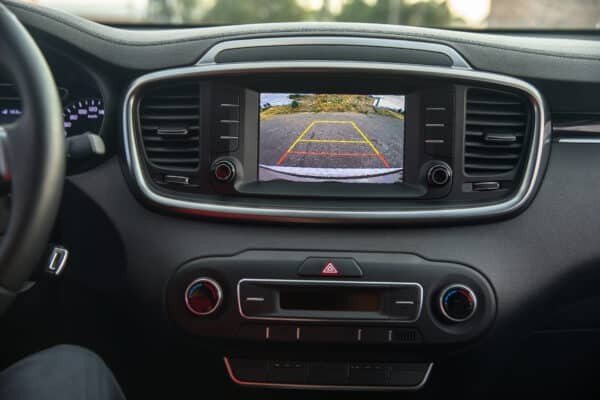
A backup camera that shows a black screen, a frozen image, or no image at all removes a safety aid you may have come to rely on. The fault is often simple, such as a dirty lens or a settings change, but it can also come from wiring, the camera itself, or the display. Work through the simple checks first, and keep using mirrors and a physical look behind the car until the camera works again.
Clean the camera lens first
Road grime, salt, and water spots coat the lens and can leave the image dark, blurry, or blank. This is the most common cause and the easiest to fix. Action: wipe the lens gently with a soft, damp cloth and check the image. If the picture returns, make lens cleaning part of your regular wash routine, especially in winter.
Check the display settings
Brightness turned down, the display switched to another source, or a settings reset can make the camera look dead when it is fine. Action: with the car in reverse and the parking brake on, check that the screen is on the camera view and the brightness is up. If the screen shows other functions normally but not the camera, the fault is in the camera circuit rather than the display.
Look for a loose or corroded connection
The camera connects through wiring that runs to the tailgate or boot, where flexing and moisture cause loose or corroded connectors. An intermittent image that cuts in and out points here. Action: if you are comfortable removing trim, check the camera connector for corrosion and secure fit. Otherwise, note when the image fails, such as when opening the tailgate, and pass that detail to the garage.
Check the reverse light circuit
Many backup cameras power on from the reverse light circuit, so a blown fuse or faulty reverse switch kills the camera too. Action: check whether the reverse lights come on when you select reverse. If they do not, check the fuse and the reverse switch. If the lights work but the camera does not, the camera has power and the fault is downstream.
Test for a faulty camera
Cameras fail with age, water ingress, or impact damage. A camera that shows a distorted, flickering, or permanently black image despite good wiring is likely dead. Action: if the wiring and power check out, the camera itself is suspect. Replacement cameras are often plug-and-play for the same model, but check whether yours needs coding to the car.
Inspect the wiring harness
Wiring that flexes with the tailgate or boot lid breaks internally over time, and the break can be invisible inside the insulation. Action: if the image fails when the tailgate moves, the harness where it bends is the prime suspect. A garage can test continuity through the harness and repair or replace the broken section.
Check for a software glitch
Infotainment software can glitch and stop showing the camera, especially after an update or a flat battery. A frozen or delayed image often points here. Action: try a system reset using the maker’s procedure, which is often holding the power button for several seconds. If the camera returns after a reset, keep an eye on it, and ask about a software update if it fails again.
Look at the display unit itself
If the whole infotainment screen is dead, dim, or stuck, the camera has nowhere to show its image. Action: check whether other screen functions work. If the screen is dead for everything, check its fuse and power. If only the camera view fails while everything else works, the display is fine and the fault is in the camera circuit.
Do not ignore water ingress
Water getting into the camera or its connector causes corrosion that starts as an intermittent fault and ends as a dead camera. Action: look for condensation inside the camera lens or green corrosion on the connector pins. If you find moisture, have the source sealed and the connector cleaned or replaced before fitting a new camera, or the new one will fail the same way.
Know when a garage should take over
Camera diagnosis stays simple through cleaning, settings, and fuses, but wiring faults and module issues need proper tools. Action: if the lens is clean, the settings are right, and the fuse is good, yet the camera still fails, book a garage. Tell them exactly what the screen shows, such as black, frozen, or distorted, and when it happens, because that guides the diagnosis.
Lesson from everyday garage work
A common pattern in everyday garage work is that a dead backup camera gets a new camera when the real fault was a corroded connector or a blown fuse. The lesson is to check power and connections before buying parts. Action: clean the lens, check the reverse lights and fuse, and inspect the connector. Only replace the camera once those checks point to it.
For related electrical checks, learn why car lights flicker and what to check, read what dashboard warning lights mean, and see how to find a battery drain if the camera fault looks electrical.